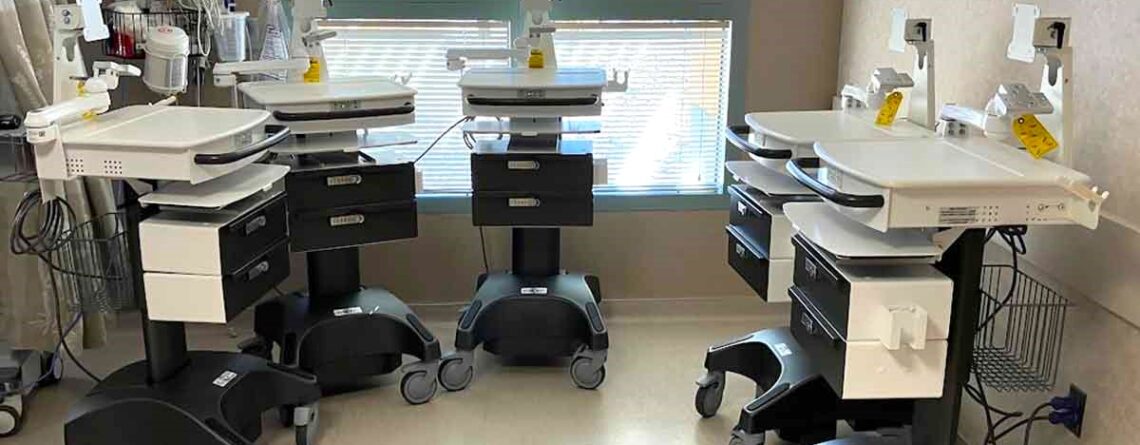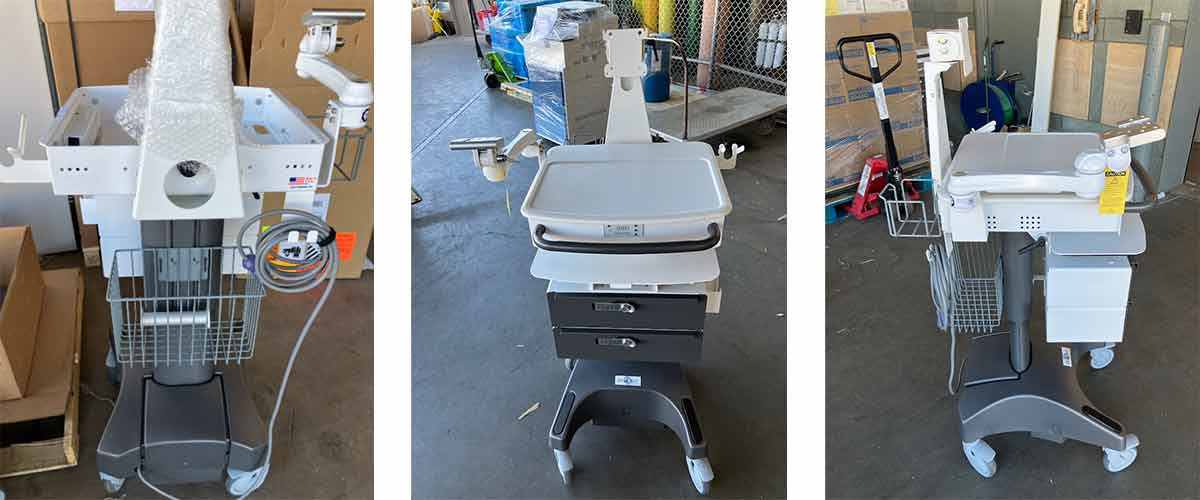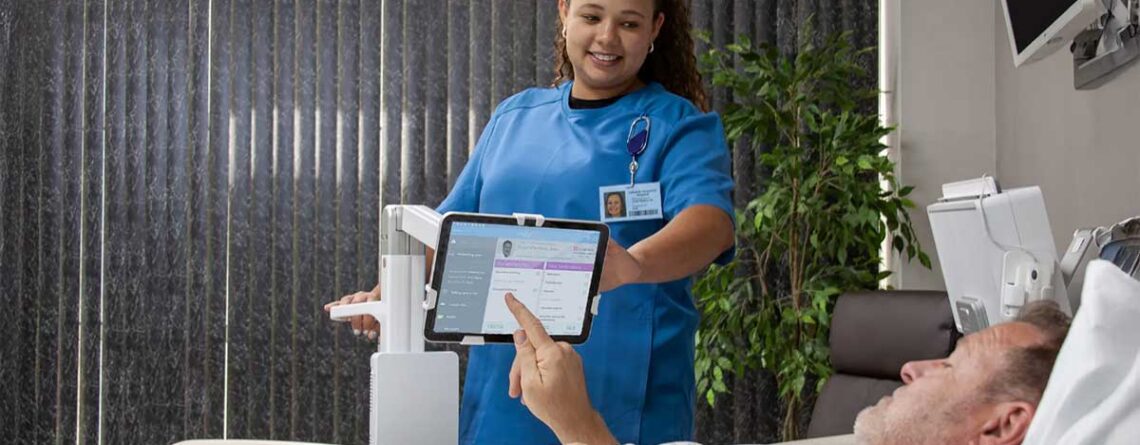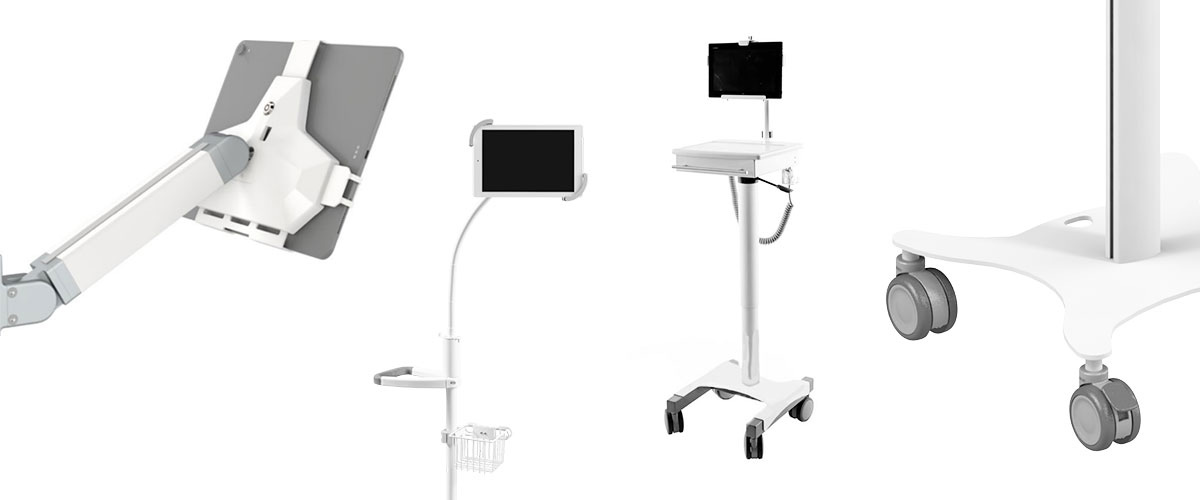
Computer Carts

EMR Workstation for Electronic Anesthesia Machine Records

EMR Workstations for Electronic Anesthesia Records

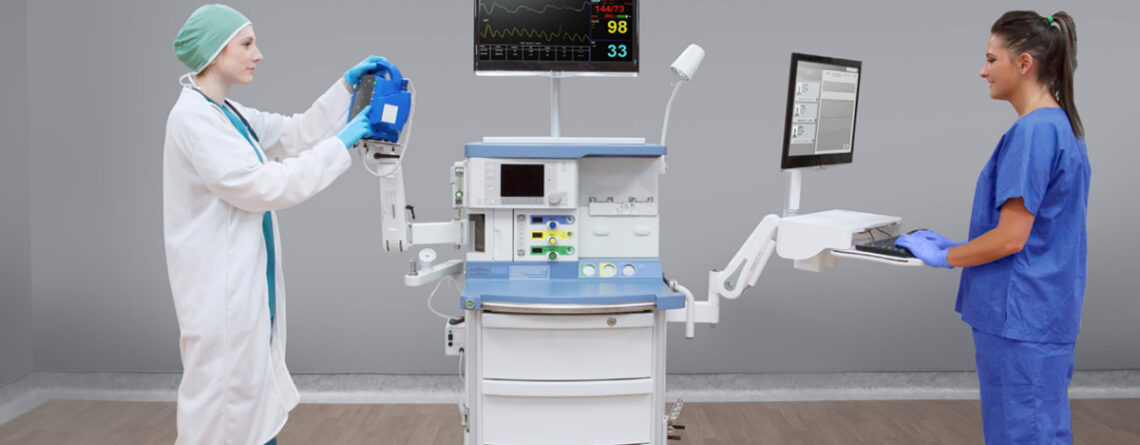
As electronic anesthesia records become standard in today’s operating rooms, having the right EMR anesthesia workstation setup is essential. An effective configuration supports accurate documentation, minimizes distractions, and allows anesthesia providers to access patient information without stepping away from the point of care.
EMR Workstation Laptop and PC for Epic's Patient Records

Key Elements of an Effective EMR Workstation

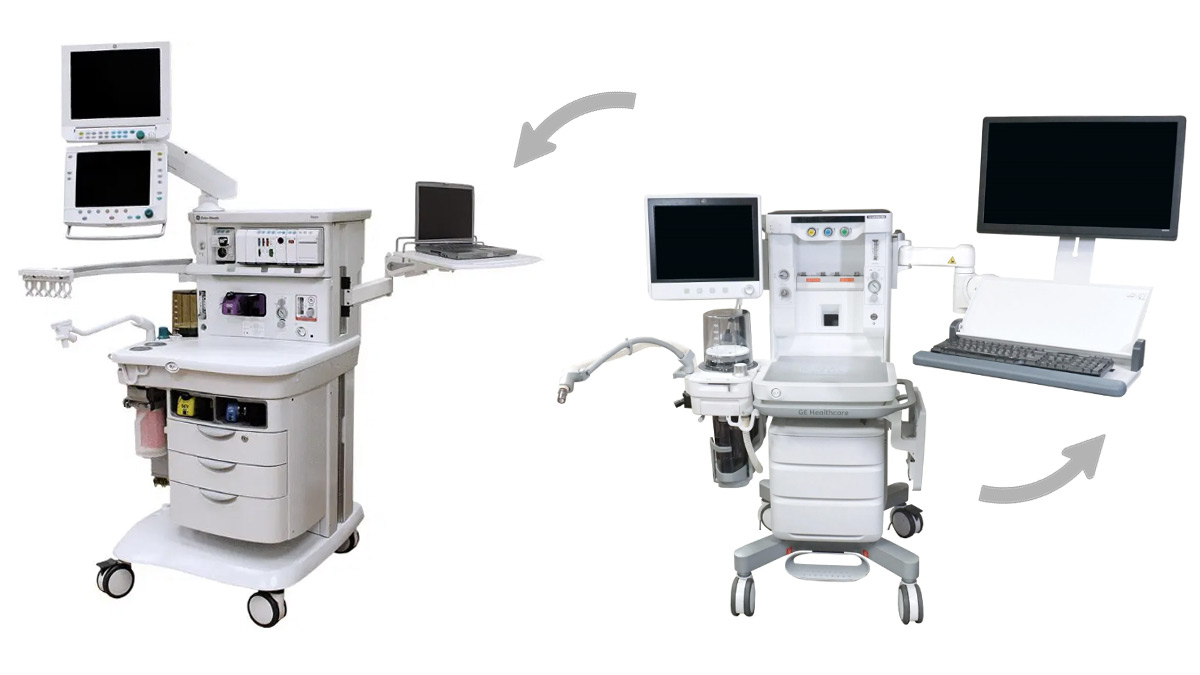
A well-designed EMR workstation starts with a height-adjustable platform that supports sit-to-stand use throughout long procedures. Workstations with integrated LCD mounts and keyboard trays allow monitors and input devices to be positioned at comfortable viewing and typing heights, helping reduce strain while maintaining visibility of patient data. Finally, the workstation itself should have an extension arm that positions the anesthesiologist an appropriate distant from the cart and patient depending on the room size.
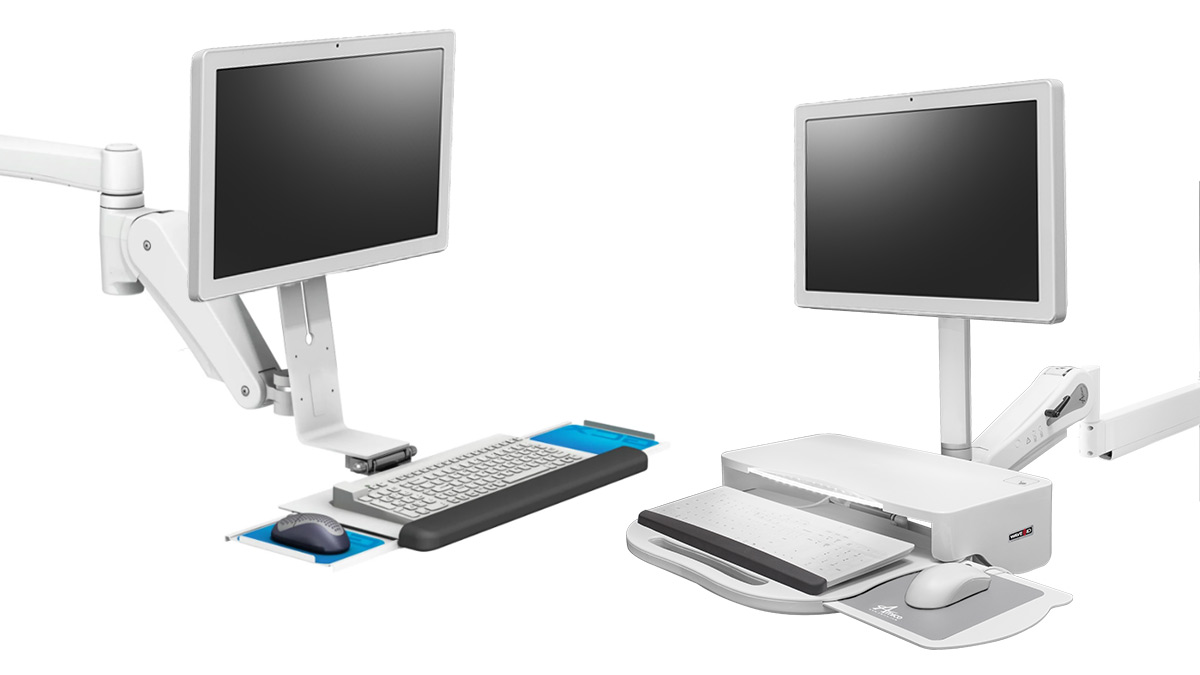
Depending on clinical needs, workstations may support touchscreen all-in-one computers, medical-grade displays, displays with glass overlays, or standard monitors. This flexibility allows facilities to choose the right balance of durability, infection control, and interaction style for their anesthesia workflows.

Input devices should be selected with both usability and cleanliness in mind. Washable keyboards and mice offer a practical solution for infection control without sacrificing typing accuracy. Unlike silicone covers, which can make data entry difficult, purpose-built washable peripherals support faster, more precise documentation during cases.
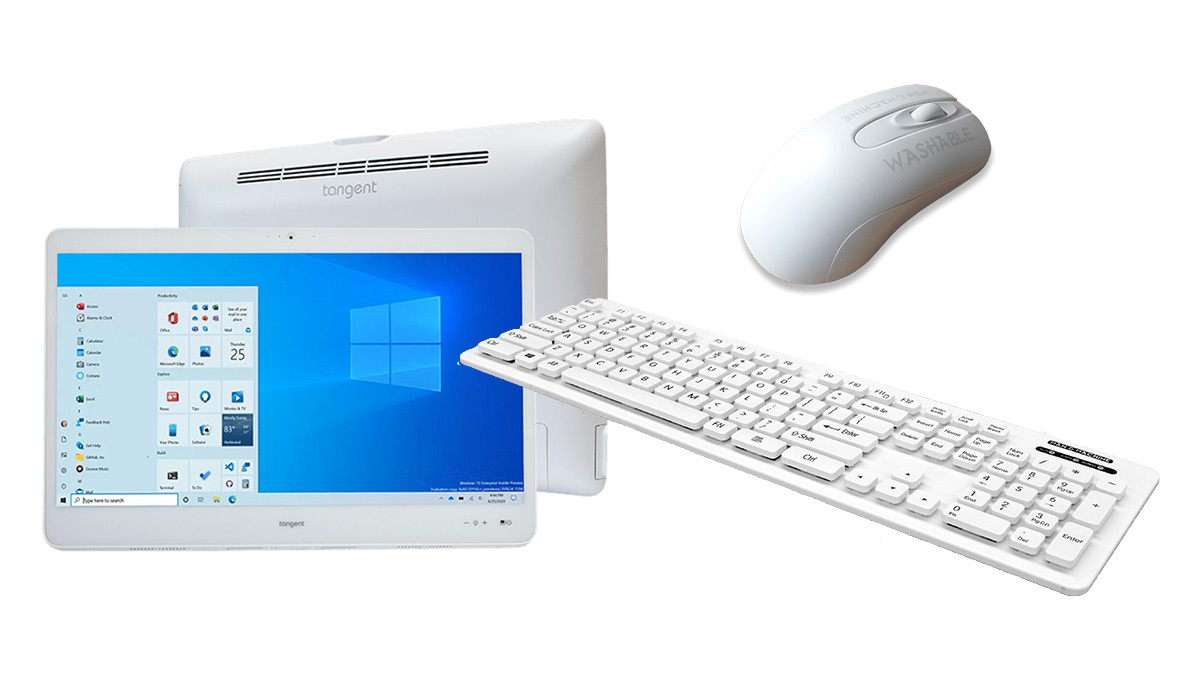
Medical Grade AIO PC and Keyboard/Mouse

Why Mounting the EMR Workstation to the Anesthesia Machine Matters

Mounting the EMR workstation directly to the anesthesia machine keeps electronic records exactly where anesthesia providers need them. Modern anesthesia machines sync directly with the patient’s chart in the EMR, automatically capturing data and reducing the need for manual charting. This integration helps minimize documentation errors while allowing clinicians to focus more fully on patient care.

Direct mounting also reduces the overall footprint in the operating room. Eliminating standalone EMR carts frees up floor space, improves mobility around the patient, and contributes to a more organized anesthesia workspace.


EMR Workstations for Anesthesia Machines at Convergint-Innovative Medical

Our EMR workstations & cleanable IT Peripherals for anesthesia environments are designed to support efficient documentation, ergonomic comfort, and seamless integration at the point of care. With sit-to-stand adjustability, flexible display options, and thoughtfully designed input solutions, our workstations adapt to the demands of modern anesthesia workflows.

Compatible Anesthesia Machine Brands:

  • Datex Ohmeda
  • Dräger
  • GE Healthcare
  • Getinge
  • Mindray
  • Penlon
  • Spacelabs
  • Have another kind of anesthesia machine? Let us help you find a compatible solution.

Contact us with your Anesthesia Cart’s model (i.e. Mindray A7, GE Avance CS2, etc.) to discuss various options for your EMR workstation.
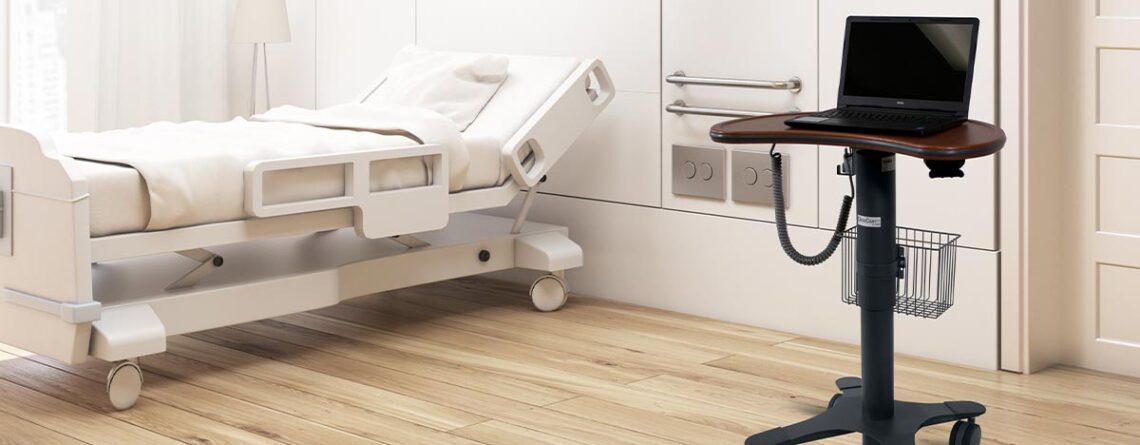
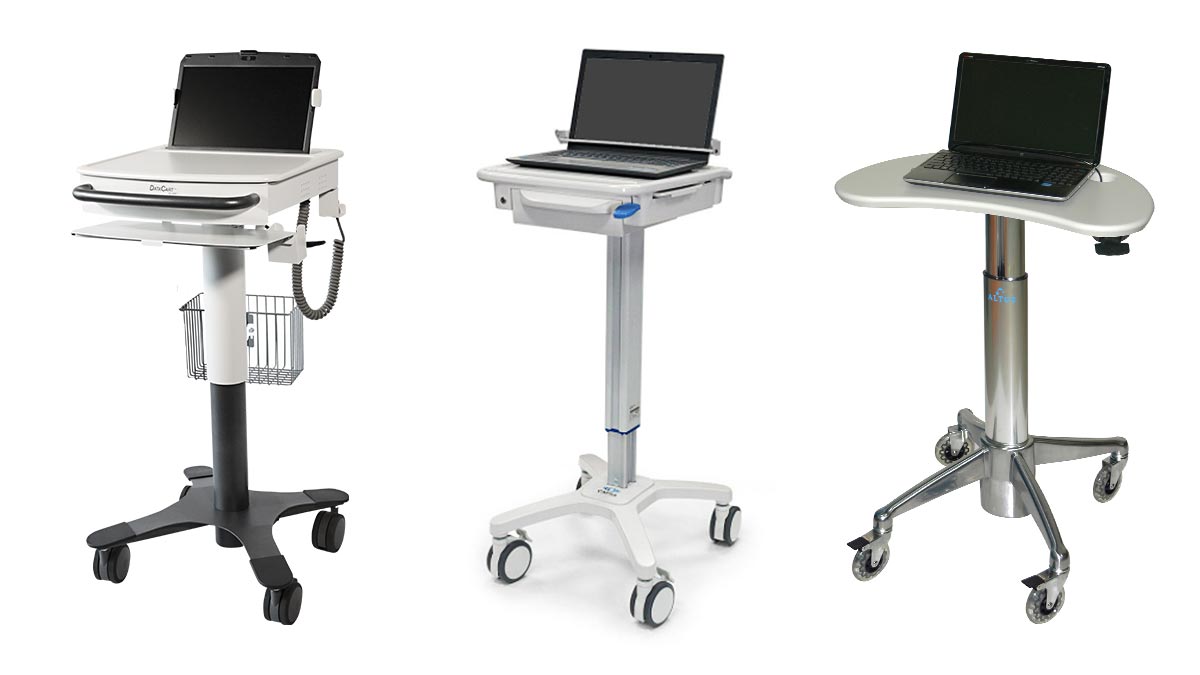
Medical Laptop Cart in Hospital Patient Room

The Decision Maker’s Guide to Medical Laptop Carts

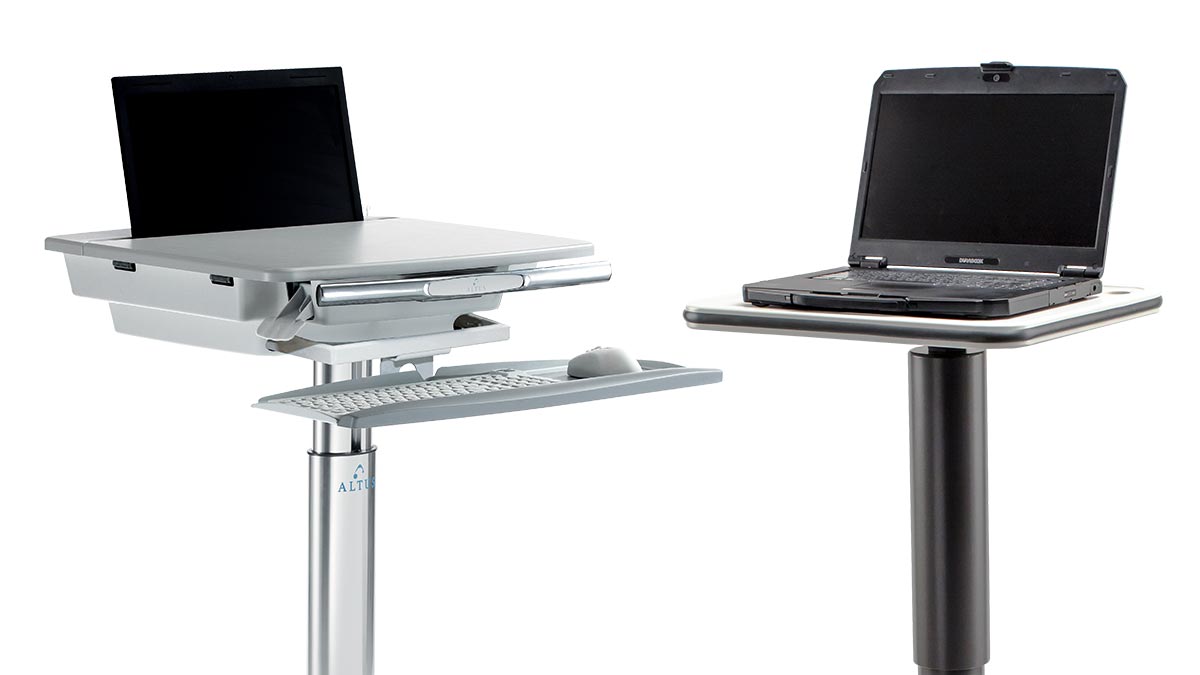
With many different types of laptop carts available, it is important to understand which features best support clinical workflows, caregiver comfort, and long-term value. Medical laptop carts support clinicians throughout their entire day as they move between patient rooms, nursing stations, and care areas.

The guide below outlines 9 key feature considerations to help answer a common question in healthcare facilities: how do you select the best medical laptop cart for your care area’s workflow?  For an easy-to-use summary, download the PDF version of this blog to access a condensed decision-making worksheet designed to simplify the evaluation process.


#1:  Security / Locking Requirements

Healthcare environments require careful consideration of equipment security and patient privacy. Ask whether the laptop needs to be secured to the cart and whether the cart may be left unattended in hallways, patient rooms, or shared clinical spaces. Locking mounts and secure enclosures can help protect devices and support HIPAA compliance, particularly in high-traffic areas.

Medical Laptop Cart Locking Options for Security

#2:  Power Needs

In healthcare settings, uninterrupted access to technology is essential. Some medical laptop carts are available with universal power supplies that provide 8 to 12 hours of additional battery life. However, this level of power is usually unnecessary for laptop-based workflows. Since laptops have built-in batteries and caregivers often have opportunities to plug in between rounds, additional onboard power can add unnecessary weight and cost. Evaluating clinician mobility and access to outlets will help determine if extra power is truly required.


#3:  Work Surface Size

The size of the work surface plays a key role in how clinicians interact with medical laptop carts throughout their shift. Consider whether users need space beyond the laptop itself for tasks such as paper documentation, medication preparation, or peripheral use. Some workflows don’t require any work surface area on the mobile cart, while others benefit from additional space to support multitasking at the point of care. Selecting the appropriate work surface size helps ensure clinicians can work efficiently, improving both usability and overall workflow.

Laptop Cart Work Space and Work Surface for Med Pass

#4:  Aesthetics in Patient-Facing Areas

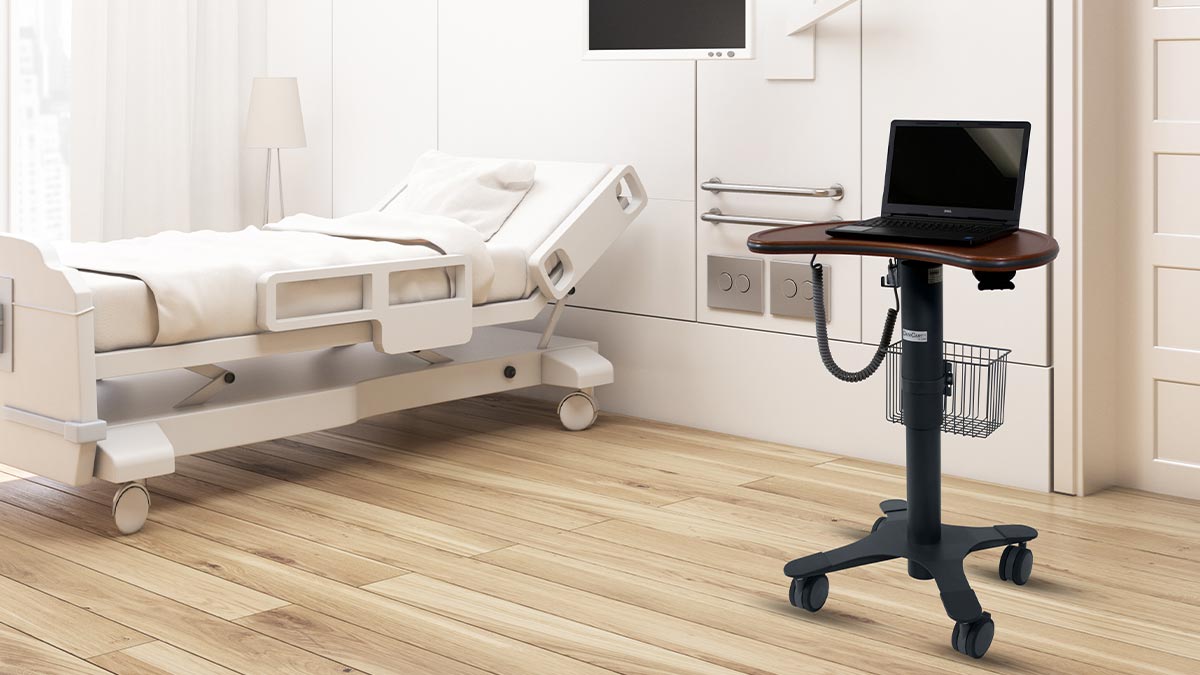
While functionality is critical, appearance also matters in healthcare settings. In patient-facing environments, carts with laminate or woodgrain finishes can create a warmer, less clinical atmosphere. Some facilities find that investing in a more refined aesthetic supports patient comfort and aligns with overall facility design standards.

Brown Woodgrain Laptop Cart for Healthcare/Hospitals

#5:  Height Adjustment Range for Clinician Comfort

Medical laptop carts are used by clinicians of varying heights throughout long shifts. If taller users have previously reported limitations with sit-to-stand height adjustment, this feature should be carefully evaluated. While all laptop carts have sit-to-stand height adjustment, an extra wide height adjustment range supports proper posture, reduces fatigue, and helps prevent musculoskeletal strain over time.


#6:  Edge Protection

Busy healthcare environments increase the likelihood of carts being bumped into doorways, walls, and other equipment. Edgeguard bumpers can help protect carts, walls, and doors from damage. This added protection can reduce maintenance costs and extend the lifespan of medical laptop carts.

Belnose Bumper Edge Protection for Laptop Cart

#7:  Keyboard Tray Ergonomics

Ergonomics are especially important in clinical documentation workflows. The ability to use an external keyboard tray and mouse can help reduce neck and shoulder strain during charting. For clinicians who spend significant time entering data into the EMR, ergonomic keyboard and mouse support can improve comfort and efficiency.


#8:  Cable Management

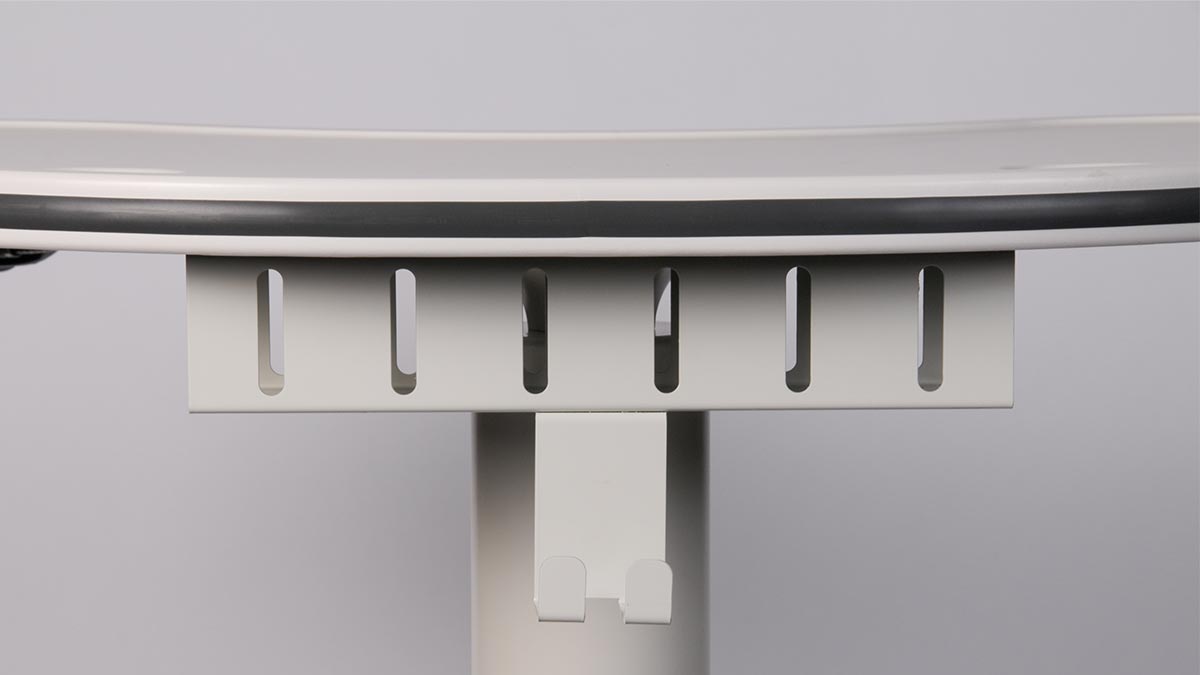
Frequent plugging and unplugging is common in hospitals and clinics. Effective cable management, such as integrated cable boxes and external power cords, helps keep cords organized and out of the way. This reduces trip hazards and allows clinicians to quickly connect to power without interrupting patient care.


#9:  Storage and Accessory Mounting

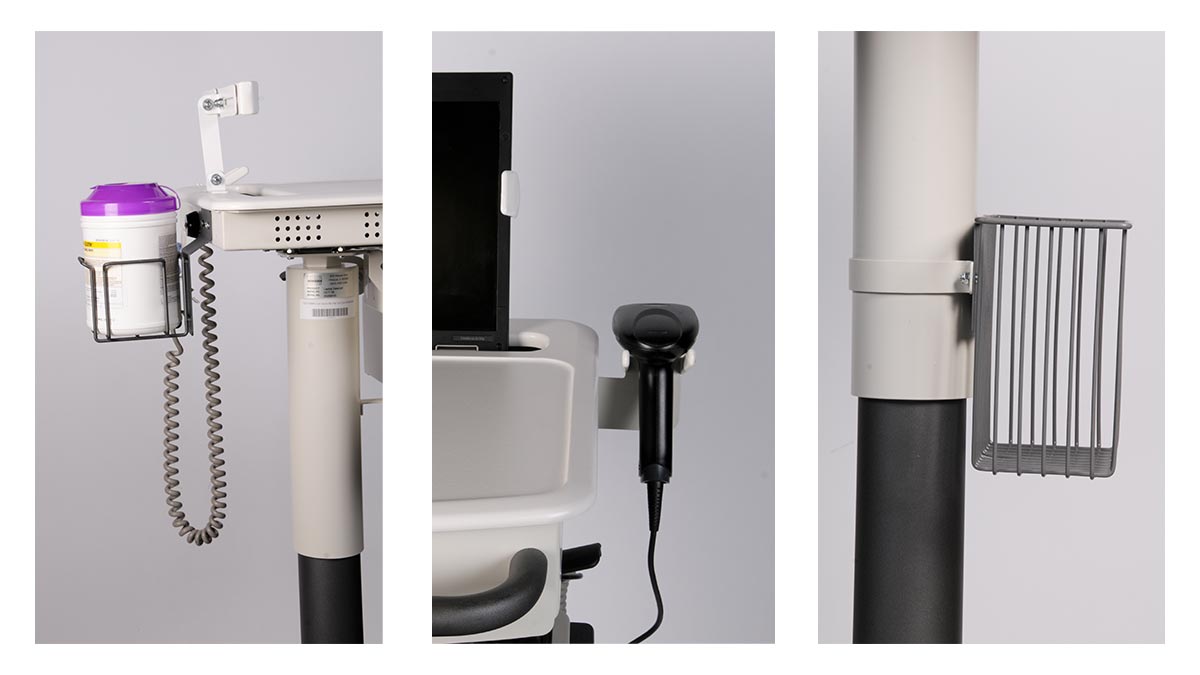
Medical laptop carts often need to support more than just a laptop. Consider whether clinicians need storage for items such as barcode scanners, disinfectant wipes, or other clinical tools. Baskets, drawers, and dedicated mounting options can transform a basic cart into a fully functional mobile workstation tailored to specific care workflows.

Medical Laptop Cart Accessories; Sani-Wipe Mount, Barcode Scanner Mount, and Basket

Return on Investment

Choosing the right medical laptop cart requires balancing clinical workflow needs, user comfort, and facility constraints. Thoughtful cart selection improves return on investment by reducing device damage, minimizing long-term cart alterations and accessory costs, and extending product lifecycles through higher caregiver satisfaction. When carts are well matched to clinical use, improved ergonomics and workflow efficiency allow caregivers to focus more time on patient care rather than equipment limitations.


Laptop Cart Options at Convergint-Innovative Medical

At Convergint-Innovative Medical, we offer a broad portfolio of medical laptop carts designed to meet virtually any combination of clinical, ergonomic, and workflow needs. Using the considerations outlined in this guide, our team helps healthcare organizations select the right medical laptop cart solution to support caregiver comfort, satisfaction, and long-term value. By partnering with dozens of trusted manufacturers, we provide access to an array of proven cart designs, configurations, and accessories that offer long-term value and durability. Contact us today to schedule a virtual demo and find the best solution for your workflow.

Custom Powered Medical Computer Carts

Case Study: Custom Medical Computer Cart

At Convergint-IMS, “custom” means collaboration. Our custom medical solutions are designed to fit each facility’s unique workflow, technology, and care environment. This case study highlights how our team worked alongside a leading Arizona hospital to develop a custom medical computer cart that solved complex clinical challenges and set a new standard for efficiency, safety, and adaptability.

Customer Background

A leading hospital in Arizona needed a reliable and space-efficient computer cart for its Ambulatory Endoscopy Procedure Rooms. The facility required a solution that would support critical patient monitoring equipment while remaining easy to maneuver in tight spaces.

The Challenge

The customer requested a height-adjustable, powered medical computer cart with a small footprint and precise workspace dimensions. The cart also needed to support several peripheral components, including:

  • A vital signs monitor mount that could attach to either side of the cart
  • A sani-wipe holder and supply basket
  • A tethered scanner holder
  • Locking storage drawers

Additionally, after the first order, the hospital’s Biomed team stepped in and added new requirements for power and cabling that needed to meet Joint Commission standards. Keep reading to learn more.

Our Process

The Convergint-Innovative Medical team began by recommending the Lund 6Li Cart, a trusted model that has been deployed across the United States for the past decade. While this base platform met the majority of requirements, it lacked a compatible mounting option for their Philips Intellivue patient monitor.

To solve this, our team collaborated with a second trusted manufacturer to source a Philips Intellivue pivot arm mount and a universal bracket that would securely connect it to the Lund 6Li cart. We then produced the first custom medical computer cart prototype and provided detailed installation instructions to the hospital team.

The Solution

After the first cart was delivered, the hospital’s Biomedical Engineering department became involved in the review process – something not originally anticipated during the initial design phase. Their input introduced several new requirements that called for design adjustments to the original configuration.

Rather than treating these as challenges, the Convergint-IMS team viewed them as opportunities to refine the build and strengthen the long-term partnership. We:

  • Installed a four-plug medical-grade power strip within the CPU compartment that met Joint Commission standards.
  • Sourced a compatible 15-foot straight medical-grade power cord to connect to ceiling outlets.
  • Sent additional accessories, including cable management hooks, free of charge to support the user experience.

To ensure a smooth transition, we sent a technician onsite to assist with the installation, accessory transfer, and equipment validation between the first and second cart versions. Once the revised custom medical computer cart was approved, the hospital ordered five additional units for deployment across its Ambulatory Endoscopy Procedure Rooms.

Custom EMR Medical Cart Equipment with Patient Monitor Arm

Results

This project highlights our commitment to problem solving, creative design, adaptability, and customer care. By combining computer cart expertise with responsive service, we delivered a custom medical computer cart that:

  • Met strict BioMed, safety and JHACO compliance standards
  • Consolidated multiple workstations to free up in-room space
  • Organized essential supplies directly at the point of care through multiple storage options
  • Provided 8+ hours of runtime for mobility between patient rooms with continuous power
  • Improved workflow efficiency for clinicians
  • Enhanced infection control through easy-to-clean, healthcare-grade surfaces
  • Supported integration of specialized medical devices and monitoring equipment

Custom and Tailored Solutions at Convergint-Innovative Medical

This project is one example of how our custom healthcare workstations help providers meet clinical, ergonomic, and regulatory demands without compromise. Every custom solution begins with a conversation, whether you need to integrate new equipment, improve mobility, or design for specialized care environments.


Ready to start your own project? Talk with our design team to explore how a custom cart or workstation can enhance your workflow.

Tryten Tablet Cart for Patient Engagement

5 Top Use Cases for Tablet Carts in Healthcare

The COVID-19 pandemic accelerated the adoption of virtual care across healthcare systems worldwide. As a result, providers sought safe, efficient ways to maintain continuity of care, tablet carts emerged as a practical solution to expand access, support remote services, and improve patient experiences. Today, with continued innovation in telehealth and digital health tools, mobile tablet mounts are widely deployed to enhance care delivery at the bedside, in outpatient settings, and beyond.

Looking for tablet cart products? Click here.

What Are Tablet Carts?

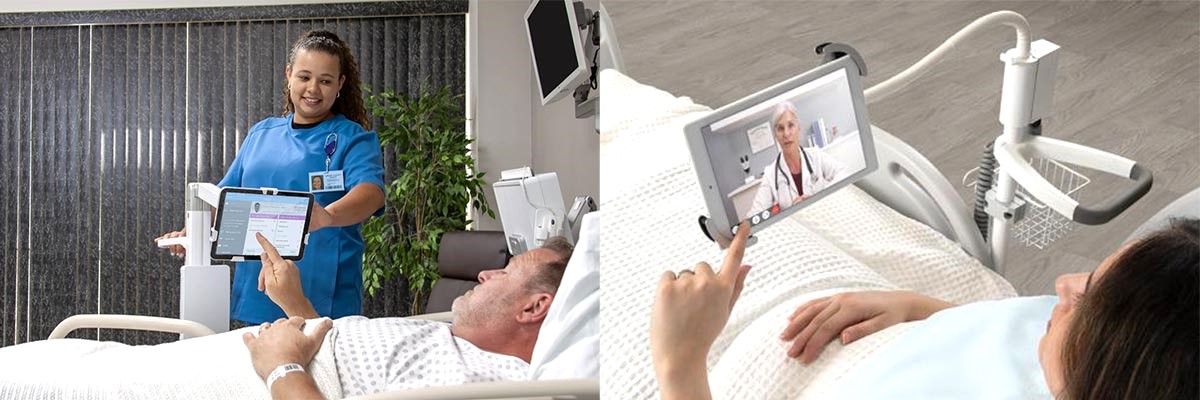
Tablet carts are lightweight, mobile workstations that hold and charge tablets, allowing healthcare providers to move seamlessly from room to room with secure access to electronic health records (EHRs), telehealth apps, and clinical software.

Use Cases for Tablet Carts in Healthcare:

1. Telehealth and Virtual Rounding

Tablet rolling carts enable secure video connections between patients and remote specialists. Specifically, they're ideal for virtual consultations, specialist rounding, and behavioral health visits, especially where in-person care is limited. As a result, patients no longer have to travel across the country to access expert care - they can now connect with providers from the comfort of their hospital room or local facility.

2. Patient Education & Engagement

Providers can use rolling tablet stands to deliver educational tools, discharge instructions, and visual aids, improving patient understanding and adherence to care plans. In turn, this easy access to information empowers patients to take a more active role in their health and recovery.

3. Video Remote Interpretation (VRI)

Tablet carts provide quick access to certified interpreters through video. This capability supports real-time translation and improves communication with patients who have limited English proficiency or are deaf or hard of hearing. Moreover, it helps facilities meet language access and compliance requirements.

4. Patient Registration

Staff can use mobile tablet mounts to streamline check-in and registration processes at the bedside or in outpatient settings, reducing wait times and improving data accuracy. Consequently, patient intake becomes more efficient, accurate, and less stressful.

5. Virtual Visiting

For patients unable to receive in-person visitors, tablet carts offer a secure, mobile solution for virtual family connections, supporting emotional well-being. In this way, they help maintain essential social bonds during care.

Why Healthcare Facilities Are Investing in Tablet Roll Stands

Hospitals, clinics, and long-term care facilities are increasingly turning to tablet roll stands as a smart, scalable solution for modern care delivery. Thanks to their versatility, they are suitable across departments, from ICU to outpatient registration, and easy to reposition based on shifting patient volumes or clinical needs.

In addition to reducing the burden on IT and facility resources, tablet carts help providers streamline workflows, improve communication, and expand access to services like interpretation, virtual care, and patient education. With the growing need for hybrid care models, tablet carts support both in-person and virtual experiences, making them a valuable long-term investment in a more connected, patient-centered healthcare system.


Mobile Tablet Carts at Convergint Innovative Medical

Tablet carts are more than a convenience - they are a key enabler of smart, connected healthcare. Whether it’s streamlining workflows or expanding access to virtual care, these mobile tools are shaping the future of patient-centered delivery.

Visit our Tablet Care Overview here, or contact us now to get free assistance finding the right solution for your use case.

Medical Computer Carts at Convergint-IMS

Types of Medical Workstations on Wheels

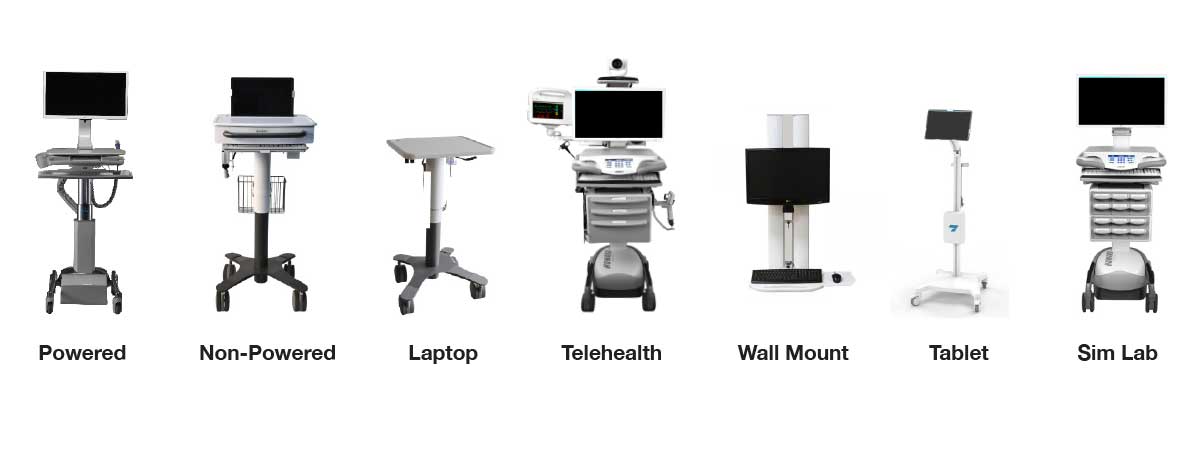
At Convergint-Innovative Medical, a division of Convergint Technologies, we offer a comprehensive range of medical workstations on wheels and computer mounting systems designed to enhance clinical workflows, improve patient care, and support the dynamic needs of healthcare professionals.

With a comprehensive range, comes many workstation options to choose from. We offer no-commitment virtual demonstrations to talk through your technology, your use case, current pain points, and features you value. Through our consultative approach, decision makers save time and get the assurance they need via free expert opinions.

This article provides a high-level overview of the different types of medical workstations, WoWs, and other computer workstations used in healthcare settings.

Types of Workstations on Wheels

Types of Healthcare Workstations on Wheels

We provide a variety of workstations and computer mounting solutions tailored to different healthcare needs:​

1. Powered & Non-Powered - Workstations on Wheels (WOWs):

These mobile carts allow clinicians to bring a variety of technology directly to the patient, supporting EMR applications, medication distribution, and real-time documentation. They typically support up to 24” displays, PCs/laptops/thin clients, and other devices like barcode scanners and label printers.

There are two primary types of WOWs: Powered and Non-Powered. Powered carts provide onboard power systems, offering free mobility from room to room.

Workstation on Wheels Features

2. Laptop Carts - for Mobile Documentation:

Designed for longevity, these workstations support laptops or tablets not requiring a constant power source, enabling healthcare providers to access and input patient information on the go (Powered options also available).

Laptop Cart Features

3. Telehealth Carts - for Virtual Care:

Curated to your workflow and necessary equipment, our variety of telehealth carts facilitate remote consultations, expanding access to care and supporting virtual health initiatives.​

4. Wall Mounts - for Space Optimization:

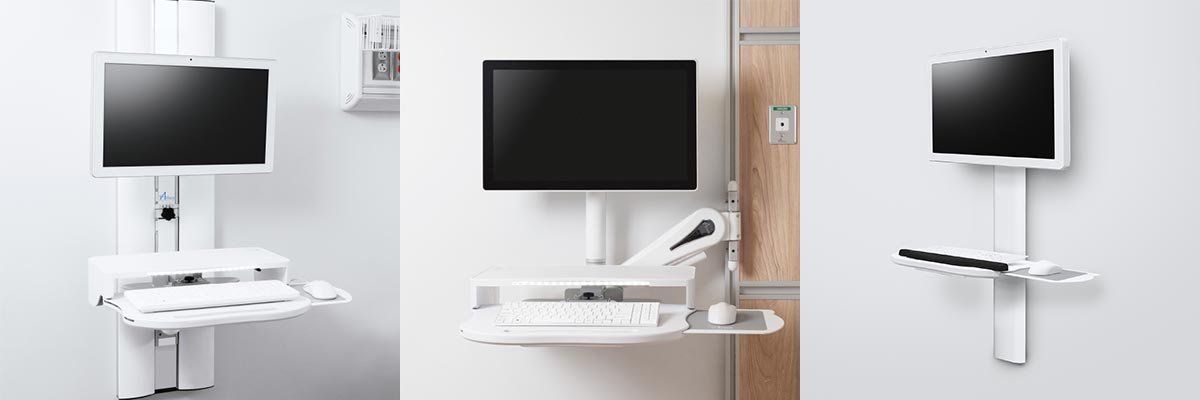
Ideal for space-constrained environments, wall mounted workstations provide secure mounting options for client technologies, optimizing space and maintaining a clutter-free area.​

5. Tablet Carts - for Patient Engagement:

For use as kiosks, telehealth, patient engagement and more, medical tablet carts support secure access to information on the go.

Tablet Cart Features

Other Workstation Types:

Our multi-faceted approach to medical workstation consulting enables us to curate unique configurations that best suit the facility’s needs, wants, and workflow. Leave it to us to help identify what workstation type and model will best suit your facility.

How We Find the Right Workstation Type For You:

  • Customization: Upon consultation, we identify tailored solutions to meet the unique needs of each healthcare facility, ensuring seamless integration into existing workflows.​


  • Ergonomics: Products that are designed with the clinician's comfort in mind, primarily promoting proper posture and reducing physical strain during use.​


  • Durability: Built to withstand the demanding healthcare environment, our systems are constructed from high-quality materials that ensure longevity and reliability.​


  • Support: We provide comprehensive support — from expert consultations and unparalleled customer service to preventative maintenance programs designed to protect your investment.

Finding the Right Type of Medical Workstation for Your Facility

Choosing the right medical workstations on wheels is crucial for enhancing clinical efficiency, improving patient interactions, and ensuring seamless technology integration across healthcare environments.

At Convergint-Innovative Medical, we specialize in tailoring mobile workstation solutions—whether powered carts, laptop carts, or telehealth systems—to fit your specific clinical workflows and facility needs.

Whether you're looking to streamline documentation, increase mobility, or expand virtual care, our team is here to guide you through selecting the ideal workstation.
Contact us today for a no-commitment demo and discover which medical workstations can elevate your healthcare delivery.

Preventive Maintenance Workstation on Wheels

Preventive Maintenance & Servicing Your Workstation on Wheels

It can be tough to commit already-strained IT resources to work on mobile computer carts or Workstation on Wheels (WOWs) repairs, let alone plan preventive maintenance on your own fleet.

It’s not news that the best way to reduce equipment failure rates is regularly scheduled preventive maintenance & professional servicing. It’s a relatively small investment that alleviates workstation downtime, reduces the number of IT help desk tickets, and elongates the life of the cart. That’s why we make it easy.

Benefits of Preventive Maintenance & Professional Service

We analyzed the ROI of a Convergint-IMS maintenance technician supported hospital group. Here’s our findings:

  • Their preventive maintenance (PM) agreement reflected only 1.34% of the cart purchase price on an annualized basis based on an 830 Cart Fleet.
  • While the typical replacement cycle for competitive workstations is 3-5 years, we’ve increased the lifespan on workstations to 5+ years (with some over 10 years), preventing the need for total cart replacements.
  • With their service agreement for onsite repairs, there was no need to hire full-time employees for servicing carts, plus less IT tickets.
  • Less IT resources directed at servicing carts.
  • Less cart downtime and increased workstation availability.
Computer Cart Inverter Maintenance

What to Expect From Preventive Maintenance (PM)

Convergint-IMS has a team of manufacturer-certified service technicians located throughout the U.S. to come onsite with spare parts kits and customer-specified upgrade parts needed to replace worn parts before they fail.

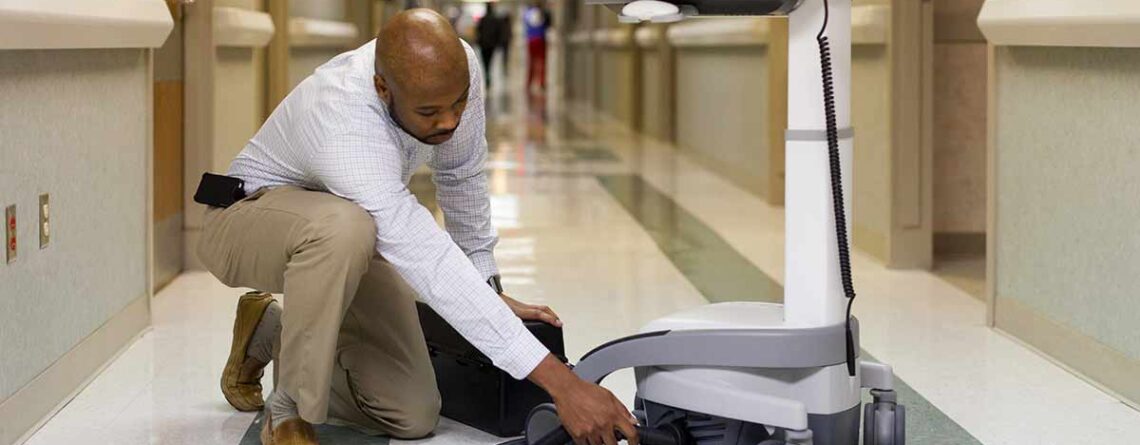
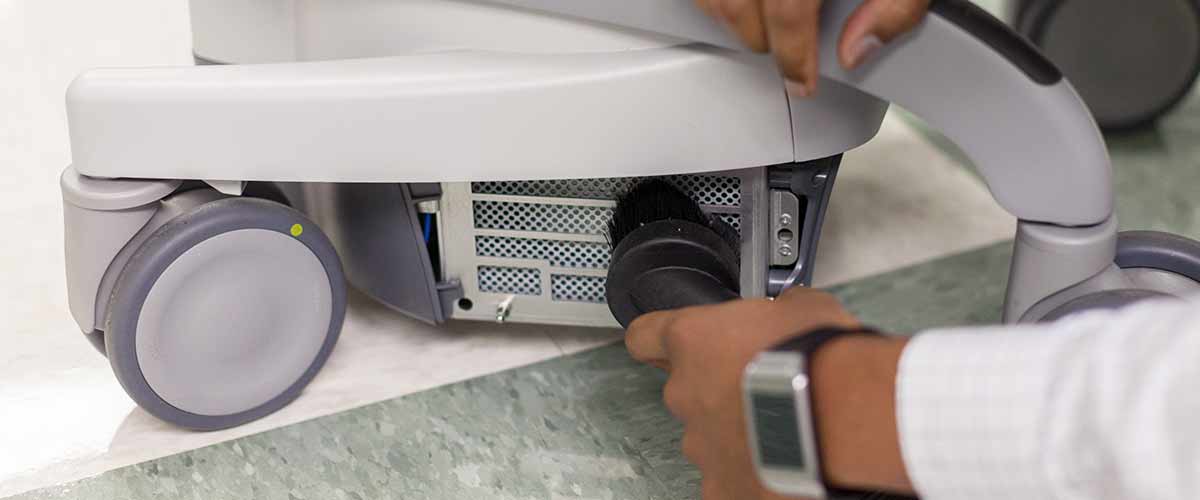
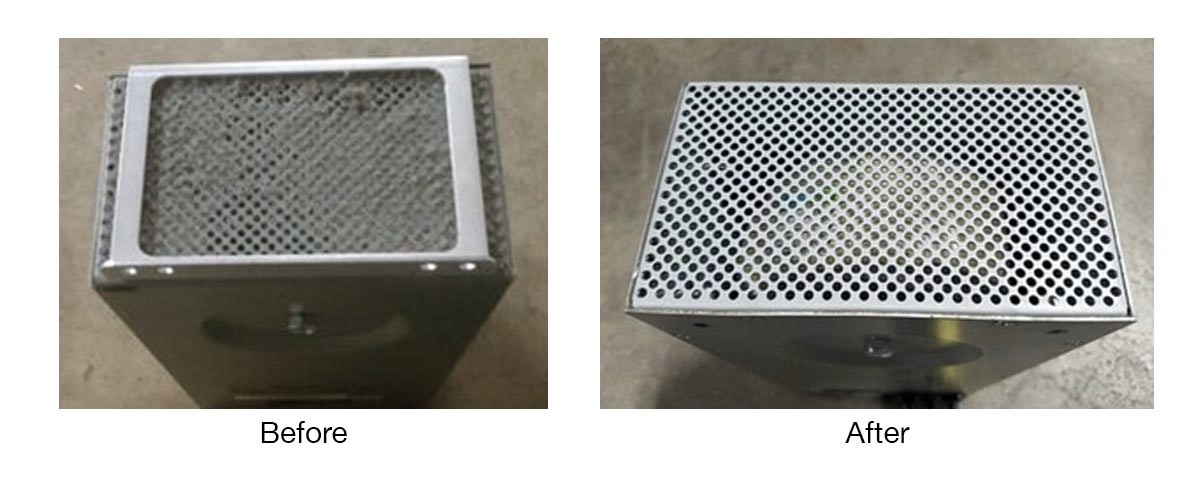
PM includes a top-to-bottom review of carts to tighten screws/bolts, replace worn/broken parts, manage cables, wipe down the cart for an aesthetic improvement, and thoroughly clean the power system.

Cleaning the dust from the inverter and air filter not only reduces the likelihood of an overheating issue, but it also prolongs the life of the entire power system by allowing it to run at a cooler temperature with proper ventilation. Dust buildup often causes premature failure of the power inverter and battery, two of the most expensive components of the cart.

Wow Cart Inverter Cleaning

Having carts tuned up keeps them running well, lasting longer, and looking nice. By simply performing regular maintenance and care on these carts they still perform at optimal levels, meeting 24/7 clinical demands.

Other Computer Cart Services and Projects

Beyond offering parts replacements for your workstations on wheels, we offer installation and technology integration for fast deployments.

Other cart projects can also include swapping out defective keyboards, mice, barcode scanners, upgrading your peripherals to larger or dual displays, adding storage, and so much more. The Convergint- Innovative Medical Service Team can perform as much or little work to the cart fleet as desired.

Preventive Maintenance Technician Medical Cart

Preventive Maintenance for Medical Equipment

Contact us now to find out more about our tailored Preventive Maintenance Program, Installation Jobs, or Technology Integration- And how we can help you extend the life of your carts.

Zebra Printer Mounts for Workstation on Wheels

Zebra Label Printer Mounts: VESA Mounted

More and more hospitals these days are deploying Label Printers with each WoW (workstation on wheels) & wall mounted workstation. Creating specimen labels immediately at the bedside improves clinician efficiency & accuracy- In turn, improving patient safety by reducing errors. But how do you add a label printer to your already-cluttered computer cart or wall mounted worksurface?
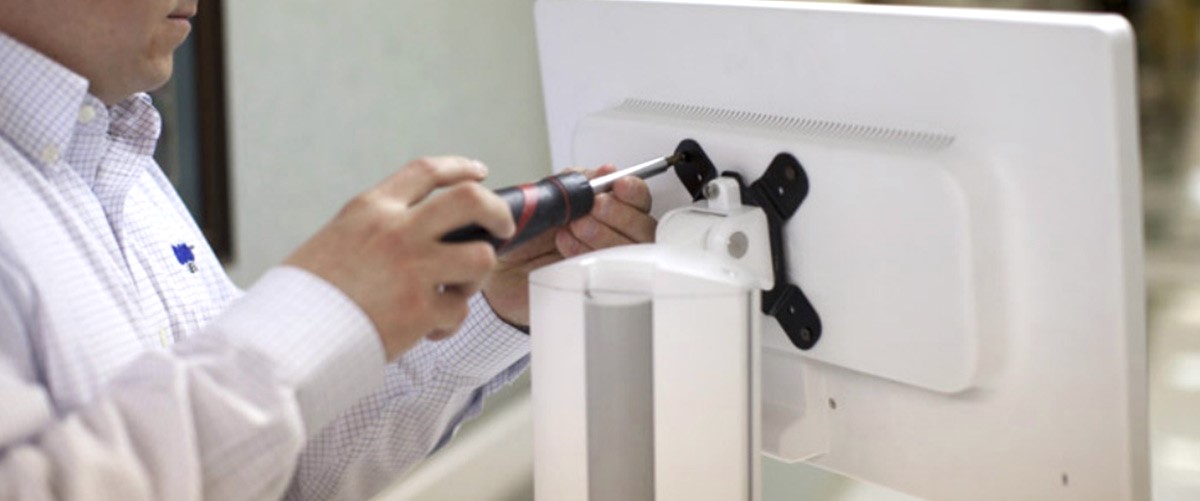
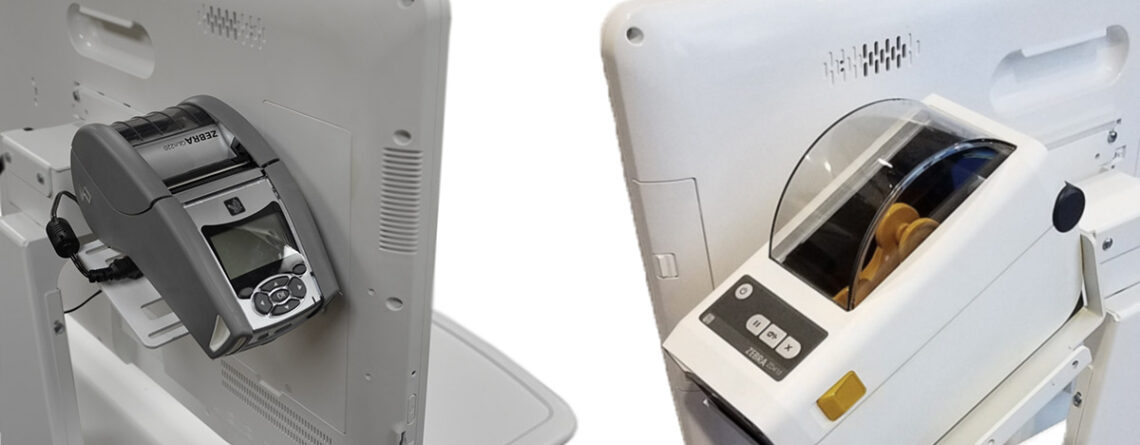
At Convergint- Innovative Medical we’ve custom designed multiple solutions to install Zebra label printer mounts on mobile computer carts and wall arm workstations. Our universal mounting solutions install on all Monitors / Displays using standard 75mm or 100mm VESA patterns.

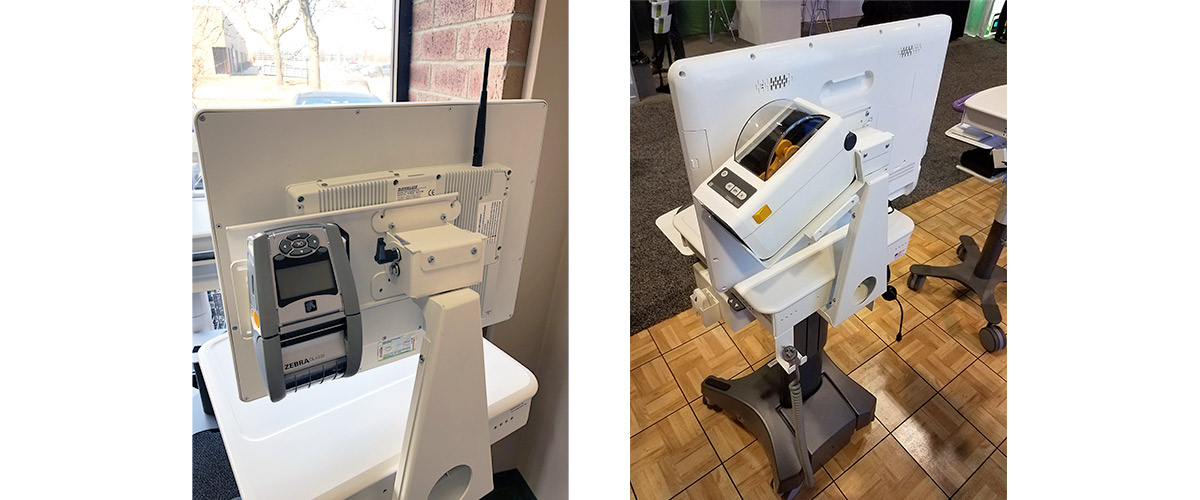
VESA Mounted Label Printer Mounts on Computer Carts & Workstations

Our Label Printer Mounts place printers either directly behind the display within the footprint of your mobile computer carts, or to the side of the display for easy access when installed.

Zebra Label Printers Mounted on Mobile Computing Carts

Most Popular Label Printer Models Supported:

Mounting Features & Benefits:

  • Left/Right Reversible: Because customer preferences differ and hospital rooms vary in shape and size, our mounts are reversible and can be installed on the left or right sides.
  • For Any Model: Our label printer mounts are versatile, cost effective, and customizable to support whatever model you use.
  • Improved Workflow: Makes label printing quicker, easier, and more accurate.
  • Pairs with Barcode Scanner Mounts: Similarly, we offer barcode scanner mounts to pair with your label printer for an improved workflow.
  • Infection Control: By not using Velcro, or other means of securing your label printer, mounts help keep surfaces wipeable.
  • Cable Management: By securing your label printer to the back of a cart or wall mount display, you can utilize the workstation’s internal cable management, rather than having open cords.
  • Easy Access: If there’s a need to access the Zebra barcode label on the bottom of the printer to pair it for printing, we’ve designed access slots for scanning

Easy Installation

To install your Zebra printer onto the mount, we provide thumb screws making installation quick and easy. By screwing the mount into the back of monitor, there’s no need to worry about infection control and workstation cleanability- No Velcro, no tape, just easy to clean surfaces.


Medical Equipment & Healthcare Solutions

By consulting with our customers, Convergint-IMS has developed solutions that meet multiple needs and solve problems both big and small. We look forward to discussing these mounts with your team. Click the button below to get the conversation started.

Task Light for Charting at Night in Hospitals

Support Patient Sleep: Minimize Sleep Disruptions in Hospitals

Hospitals are designed to heal, but for patients, one of the most important factors in their recovery is sleep. However, disruptions during night rounds, including waking up patients at night or other noises, can hinder this crucial rest. It’s not news that hospitals around the world are changing their vital sign monitoring schedules, prescribing medications with longer distribution intervals, and implementing environmental changes to support sleep. In this blog, we’ll summarize how certain products can help support patient sleep during night charting and rounds.

Lightweight & Discreet Carts

Night rounds involve healthcare workers charting on patients’ conditions, which can be extremely disruptive if the equipment is bulky or noisy. Lightweight and discreet mobile carts are essential in minimizing disturbances and upsetting patients. Our selection of computer carts, mobile labor & delivery carts, and medical carts are all designed to be quiet & easy to maneuver, allowing staff to move through patient rooms with minimal noise. Their ergonomic design & thoughtful wheel choices make them ideal for night rounds, helping to support patient sleep while still providing staff with the tools they need.

Dimmed Lighting on Carts & Wall Mounts

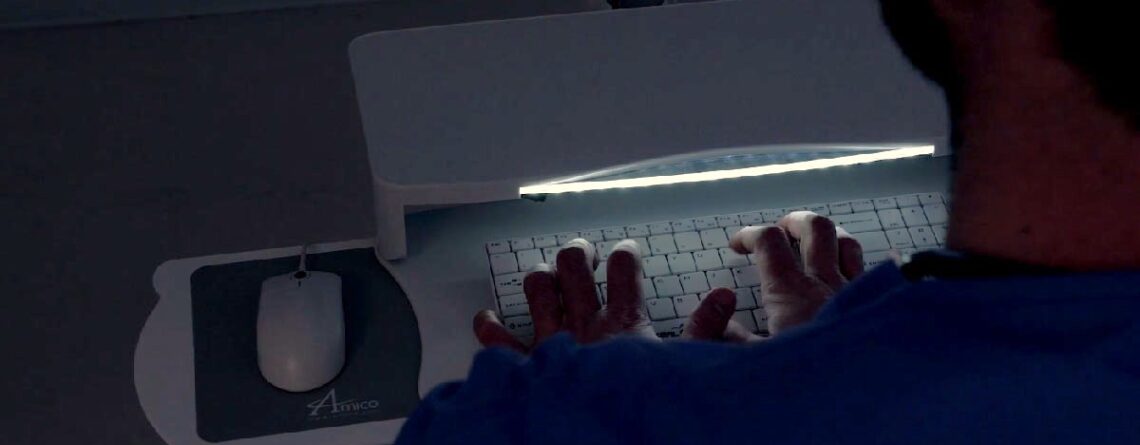
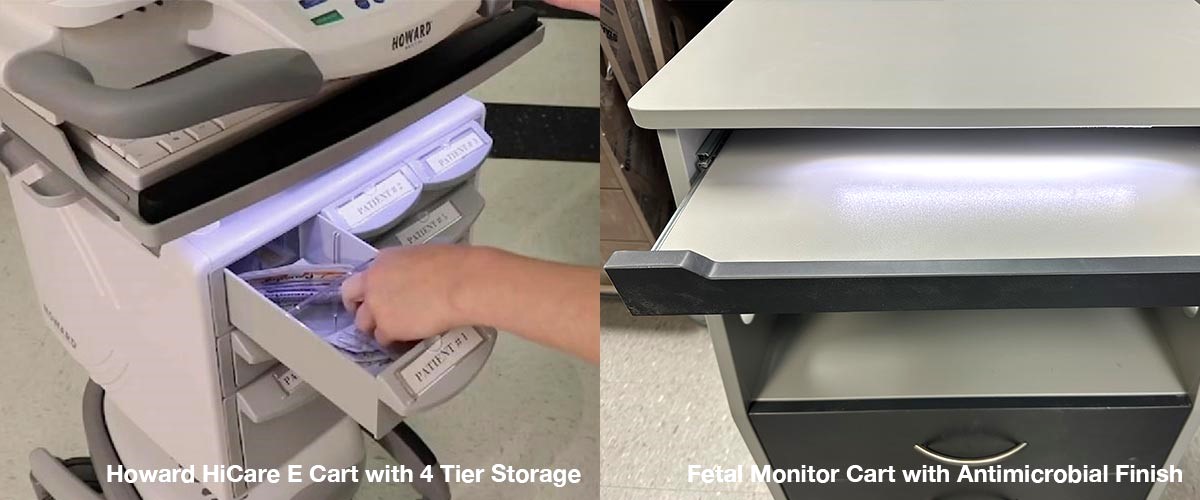
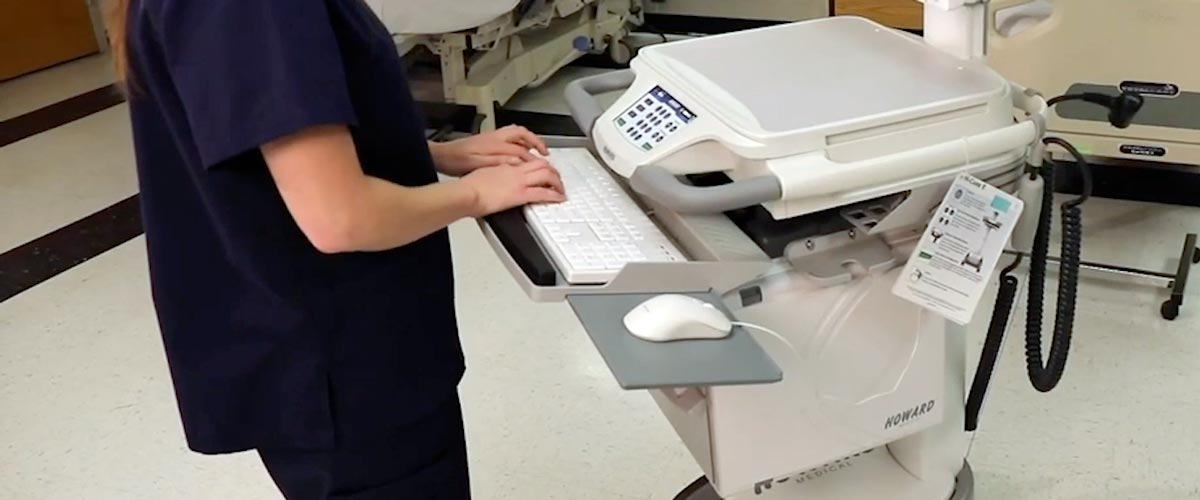
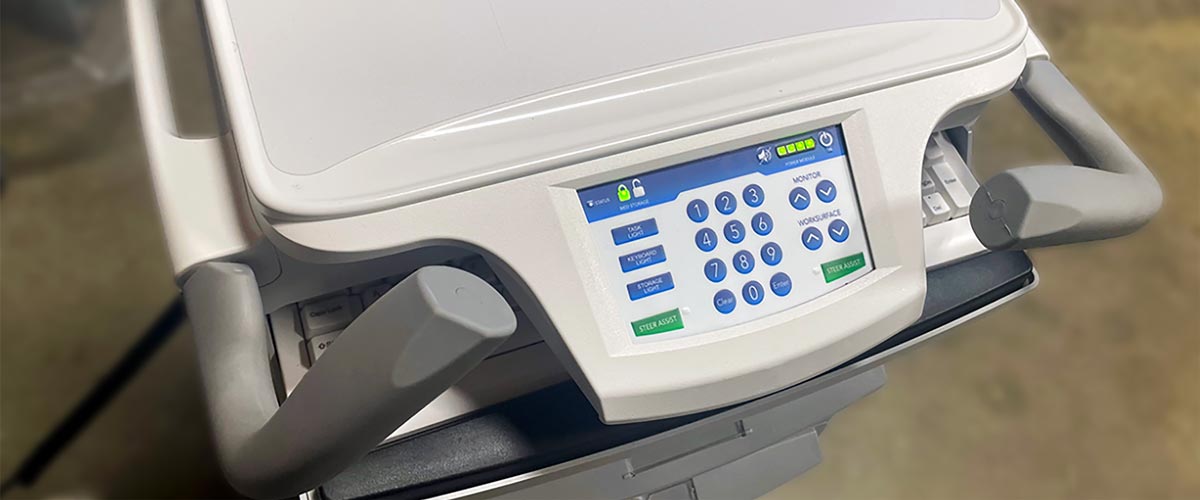
Bright lights can be harsh and disruptive when it’s time for patients to sleep, but dimmed lighting on computer carts ensures a softer ambiance. While each of our powered carts, wall mounts, & fetal monitor carts feature optional task lights for the worksurface, the Howard HiCare E Carts feature the widest range of lighting. With dimmable lights in both white & red for the worksurface, keyboard, AND storage, automatically built into your cart, your chances of disturbing the patient’s sleep decrease significantly. By controlling the light intensity, staff can perform charting tasks at night while preserving the peaceful environment needed to support patient sleep. This simple feature makes a significant difference in minimizing sleep disruptions in hospitals, especially during late-night checks.

Workstation on Wheels Storage Light

Soft Close Drawers on Mobile Carts

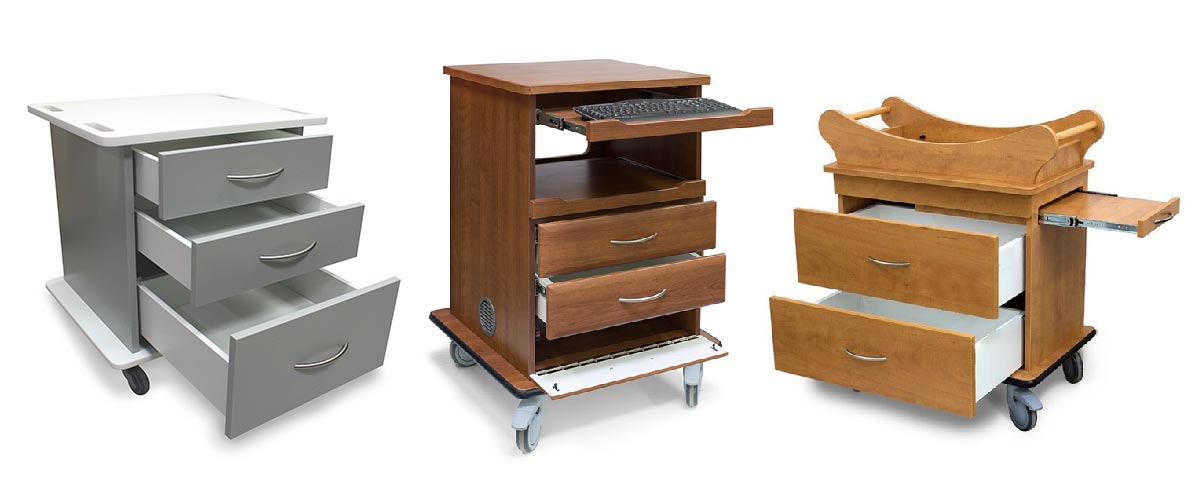
One of the most common, yet often overlooked, sources of disruption is the noise created by drawers opening and closing. Soft-close drawers on mobile carts are a game-changer in minimizing these disturbances. Designed with quiet mechanisms, our entire labor & delivery product line features soft close drawers, ensuring that patients remain undisturbed during night rounds. From baby bassinets to bedside cabinets, this quiet feature plays a crucial role in creating a restful environment, allowing patients to sleep through night charting and monitoring without the abrupt noise from traditional drawers.

Delivery Cart, Fetal Monitor Cart, and Bassinet

Medical Equipment & Healthcare Solutions by Convergint– Innovative Medical

Incorporating these thoughtful features—lightweight carts, dimmed lighting, and soft-close drawers—into hospital settings can make a significant difference in supporting patient sleep. By minimizing sleep disruptions during night rounds, healthcare providers can enhance patient recovery and overall hospital experience.

Connect with Convergint at (800) 968-3135 to learn more about our attention to detail & mobile carts tailored to supporting patient rest.

EMR Cart Fleet Management Dashboard

The Role of Fleet Management in Healthcare

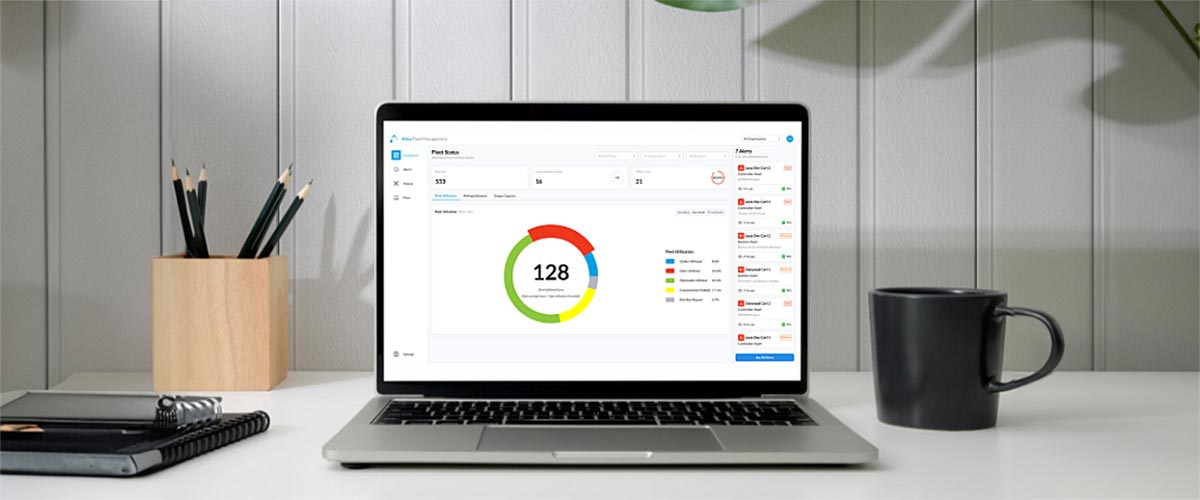
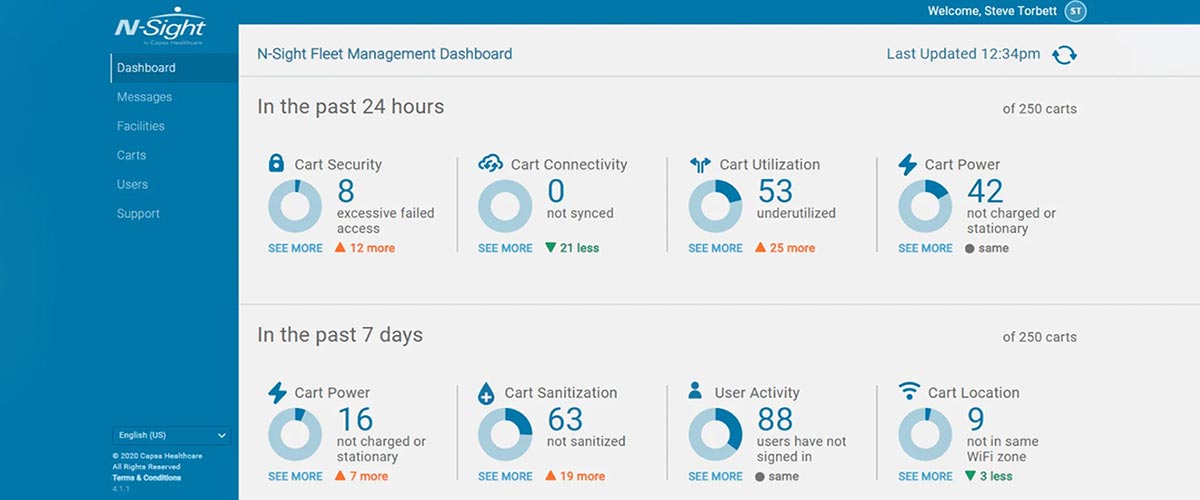
Fleet management for mobile Electronic Medical Record (EMR) computer carts plays a crucial role in the healthcare field by ensuring that these essential tools are always available and well-maintained. Leveraging a designated fleet management software can quickly turn the game around, improving operational efficiency through real-time data and remote management; reducing costs through improved asset utilization and boosted productivity; and increasing the time spent on quality patient care. This article explores these roles and benefits in detail.

Optimized Asset Utilization

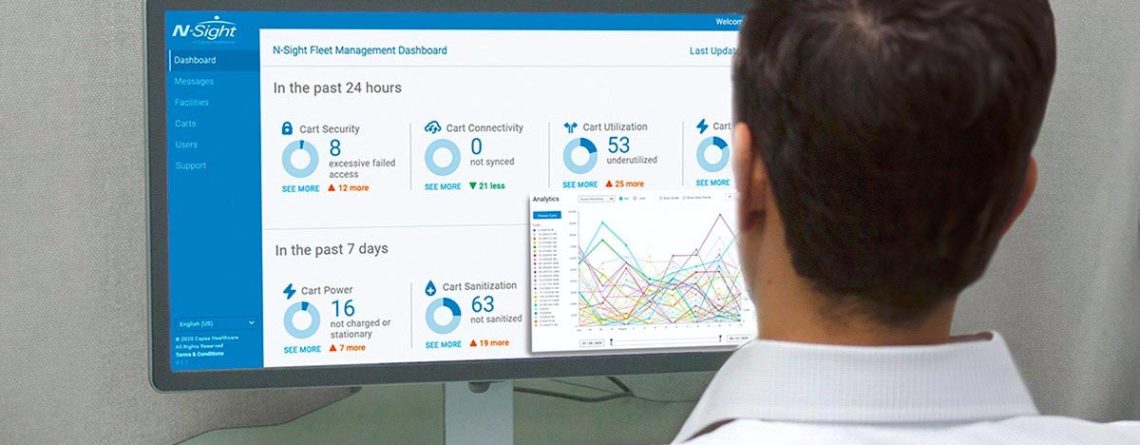
Effective fleet management begins with assessing whether the number of carts in a unit or facility meets current clinical demands. When your hospital system has fleet management software, cart fleet utilization reports makes this easy. Utilization reports & power analytics identify opportunities to redeploy carts to locations with greater needs, reducing the need to purchase more. These easy-to-read dashboards can be exported for review and distribution across service and support teams in just a few clicks.

Cost control is another critical aspect, as maintaining a fleet of mobile EMR workstations can be costly. Fleet management helps control these expenses by optimizing the use of each unit, scheduling preventive maintenance to prolong your cart investment, and reducing time spent on administrative and technical tasks. For example, Baptist Health System conducted a pilot study to monitor the usage of their mobile workstations. By analyzing real-time data, they optimized the deployment of their workstations, reducing the number of underutilized units and lowering operational costs. This data-driven approach ensured efficient resource use, enhancing overall operational efficiency.

IT Ticket Management

Managing a fleet of mobile EMR workstations involves regular maintenance, reducing downtime, and troubleshooting. When clinicians and cart users can enter service requests directly into the cart interface and send to the IT Helpdesk, cart maintenance becomes easier. With real-time locating systems pinpointing what and where the problem lays, this mode of fleet management minimizes downtime, translating to more time for patient care and less time dealing with technical issues.

Fleet management software also promotes a shift from reactive to preventive maintenance. By leveraging historical data, real-time monitoring, and proactive alerts, healthcare facilities can identify potential issues before they impact workstation performance. This approach not only extends the lifespan of the equipment but also ensures uninterrupted availability, a frequent issue that halts productivity and interrupts patient care.

EMR Cart RTLS Fleet Management Dashboard

Remote Fleet & User Management

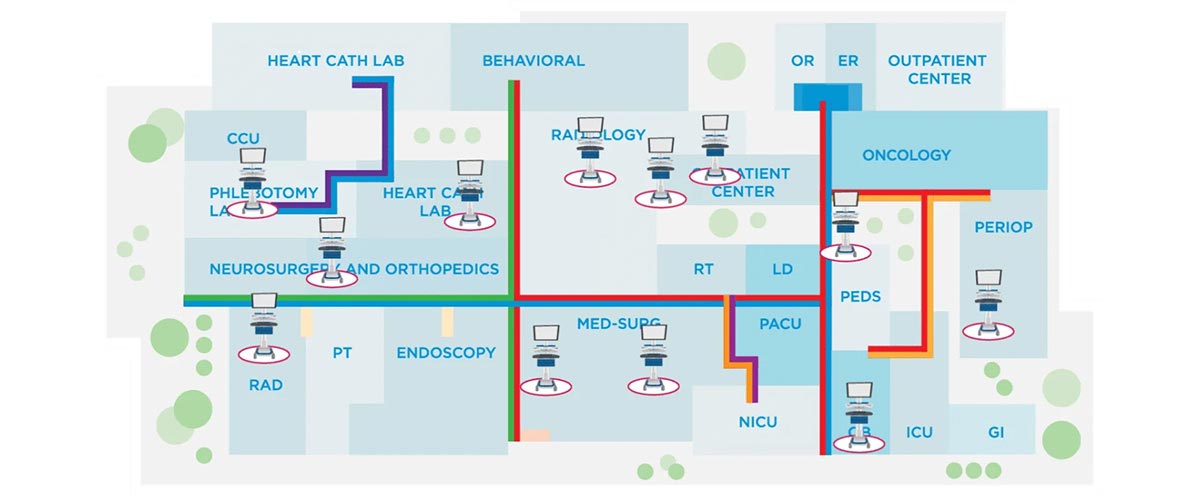
Remote management capabilities of fleet management software allow healthcare facilities to update user IDs, PIN codes, user permissions, monitor cart access, and name units and floors to locate displaced carts easily using wireless access points. In addition, monitoring fleet status, connectivity, utilization levels, battery performance, and more from a centralized location ensures that mobile EMR workstations are always available and in optimal working condition.
Altus Remote Fleet Management

Fleet Management at Convergint- Innovative Medical

Fleet management for mobile EMR carts is required in healthcare, and having a software directly integrated into each cart with remote management has a multitude of benefits. Providing a structured approach to asset utilization, IT ticket management, and remote fleet management optimizes operational efficiency, reduces costs, improves clinician & IT productivity, and ultimately enhances patient care. The integration of real-time data and proactive maintenance ensures that resources are used efficiently, supporting the delivery of high-quality healthcare services.

Contact Convergint-Innovative Medical today to explore our workstations with Fleet Management software and how they’ll improve your organization’s efficiency.

Nurse Clinician Safety EMR Workstation Ergonomics

Nurse & Clinician Safety: EMR Workstation Ergonomics

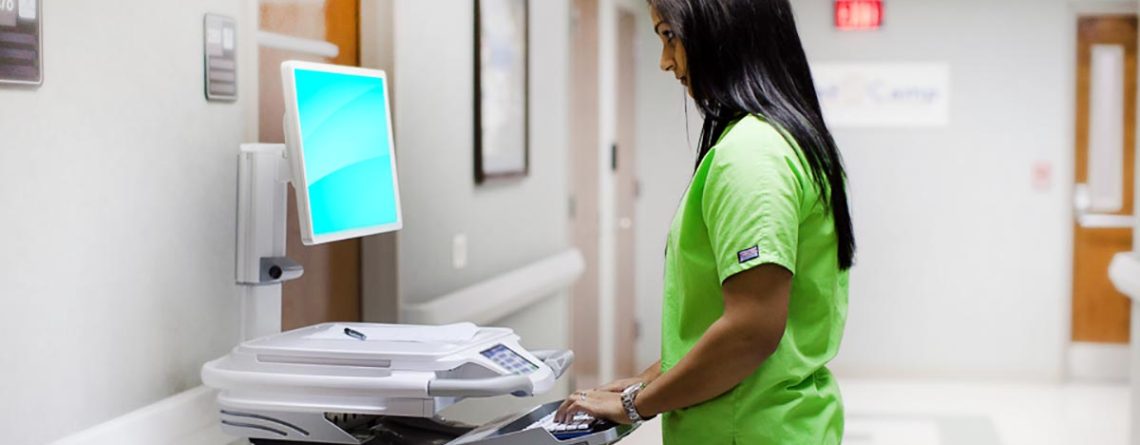
Preventing back injuries and muscle strain for nurses & clinicians is necessary to ensure the proper care of patients. With clinician burnout on the rise, extra steps to ensure their health and safety need to become a priority. So before deciding on the workstations they’ll use all day every day, ensure you’re making an informed decision to protect your healthcare workers.

As a value-added reseller of medical carts, computer carts, and patient care furniture who’s worked firsthand with the forefront of care for over 30 years, here’s a little bit of what we’ve learned:

5 Key Ergonomic Features for Computer Carts in Healthcare

1.)  Sit to Stand Height Adjustments

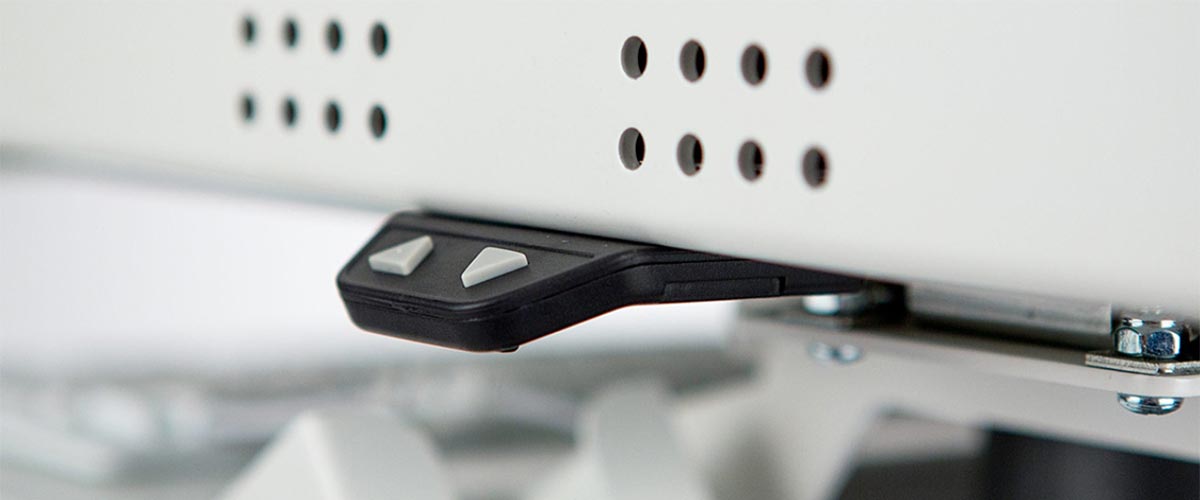
Opt for a workstation that has electronic sit-to-stand height adjustment & independent monitor height adjustment.

Manual height adjustments can be straining on staff when carts are filled with heavy supplies and technology, and the push of a button makes adjustability quicker and safer. Additionally, independent monitor height adjustment ensures the exact degree of comfort each medical staff needs to focus on their patients.

Because we recognize the importance of comfort, every workstation at Convergint- Innovative Medical includes sit-to-stand height adjustments, even our wall mounted workstations.

Nurse Clinician Safety EMR Workstations

2.)  Storage Efficiency

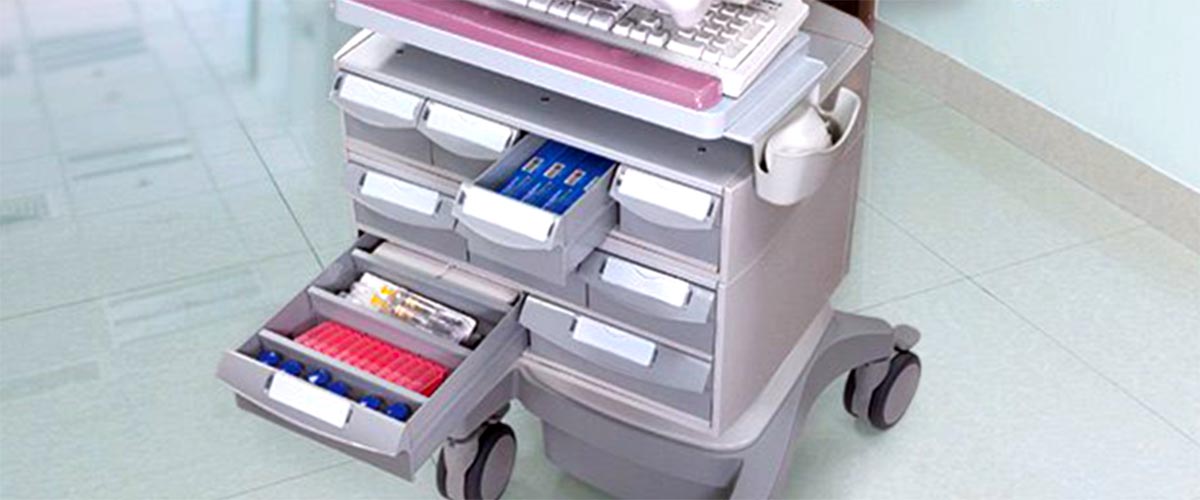
Stop wasting time digging for supplies with customizable trays, storage solutions, & electronic medication drawer tracking.

Customizable trays and drawer sizes allow for organized storage of supplies, and electronic medication drawer tracking enhances security and accuracy. Efficient storage solutions ensure that all necessary tools and medications are easily accessible, improving workflow and patient care.

With a wide range of storage solutions and bin sizes, all of our workstation drawers include customizable tray inserts for clinicians to minimize their time searching for what they need. Inquire about our patient bin tracking that minimizes mistakes in medication delivery.

Storage Workstations EMR Carts

3.)  Ergonomic Typing Surfaces

Go for carts with negative tilt keyboard trays and left/right mousing surfaces.

A 0 to -15 negative tilt keyboard tray helps maintain a neutral wrist position, reducing strain over repeated use. A mouse tray that slides out from the left or right side provides flexibility and comfort, allowing healthcare professionals to work efficiently without compromising ergonomics.

Ask us about negative tilt keyboard trays to see our most ergonomic workstations on the market.

EMR Workstation Ergonomics Medical Carts

4.)  Handle Orientation & Cushion

Proper handle orientation & cushioning reduces wrist strain from pushing and pulling by decreasing uncomfortable repetitive movements.

Ergonomically designed handles help prevent fatigue and injuries that ensure that staff can move carts comfortably and safely throughout their shifts.

From medical carts to powered and non-powered computer carts, we notice the importance of a handlebar on mobile workstations. View our selection of Workstations on Wheels to see our attention to detail.

Ergonomic Medical Carts WOWs

5.)  Maneuverability & Caster Types

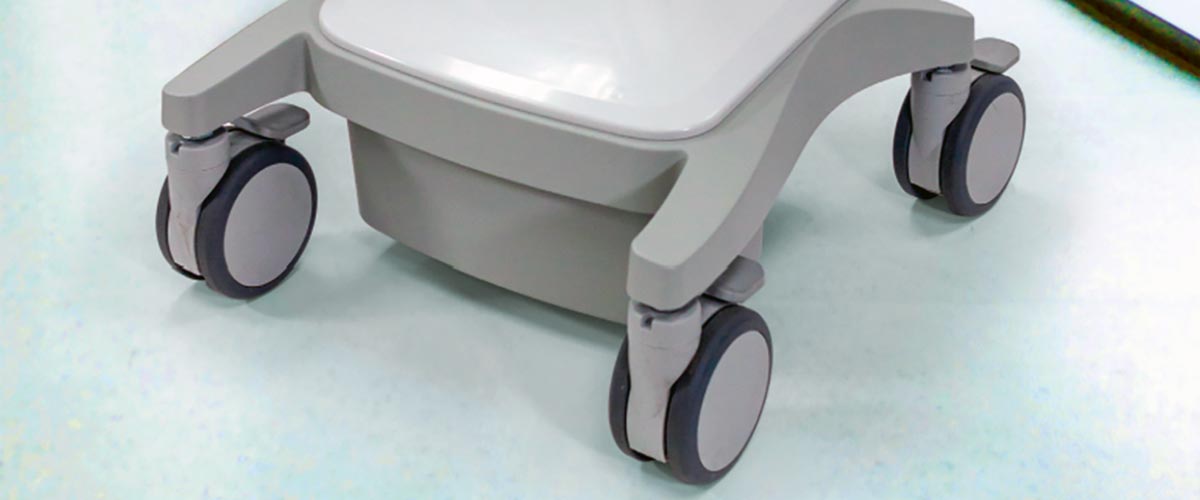
Choose computer carts with 4-5” dual wheel casters that require less push force.

The right caster size for your floors and cart weight reduce the push power needed, making it easier for staff to maneuver carts from room to room. Efficient maneuverability is crucial in a fast-paced healthcare environment, ensuring that medical staff can quickly and safely transport supplies and equipment.

Convergint- Innovative Medical will automatically select the best caster choice for your mobile workstation based on years of working with users first-hand.

EMR Ergonomic Workstations Convergint

EMR Ergonomics at Convergint-Innovative Medical

Prioritizing ergonomic designs in mobile workstations is essential for the health and efficiency of medical staff. By investing in workstations with sit-to-stand height adjustments, storage efficiency, ergonomic typing surfaces, proper handles, and appropriate caster types, healthcare facilities can significantly reduce the risk of injuries from repeated use and improve overall workflow.

With so many factors to consider in your EMR Workstation on Wheels selection, contact Convergint-Innovative Medical today to learn more about how we can help you create a safer, more efficient work environment for your medical staff.

Connect with our team at (800) 968-3135 or message us here to learn more about our excellent service and solutions.